The best internal link checker tool depends on your site size and what you need to analyze.
For sites under 500 pages, the SEOShouts Internal Link Checker offers the only free visual anchor text word cloud plus full link crawling.
Screaming Frog handles larger sites with deeper data export. Ahrefs and Semrush bundle link analysis into broader SEO suites.
I've tested every tool on this list against the same website to compare what they actually report, what they miss, and whether the free versions deliver enough data for a real audit.
Here's how they stack up across the 8 criteria that matter most.
What Makes a Good Internal Link Checker?
Before comparing individual tools, you need to know what separates a useful internal link checker from a superficial one.
Based on running internal link audits across 500+ websites, these are the 8 features that determine whether a tool can support a real audit:
- Crawl limit: How many pages can the tool scan? A 50-page crawl is useless for any site beyond a simple blog. You need at minimum 500 pages for a meaningful audit.
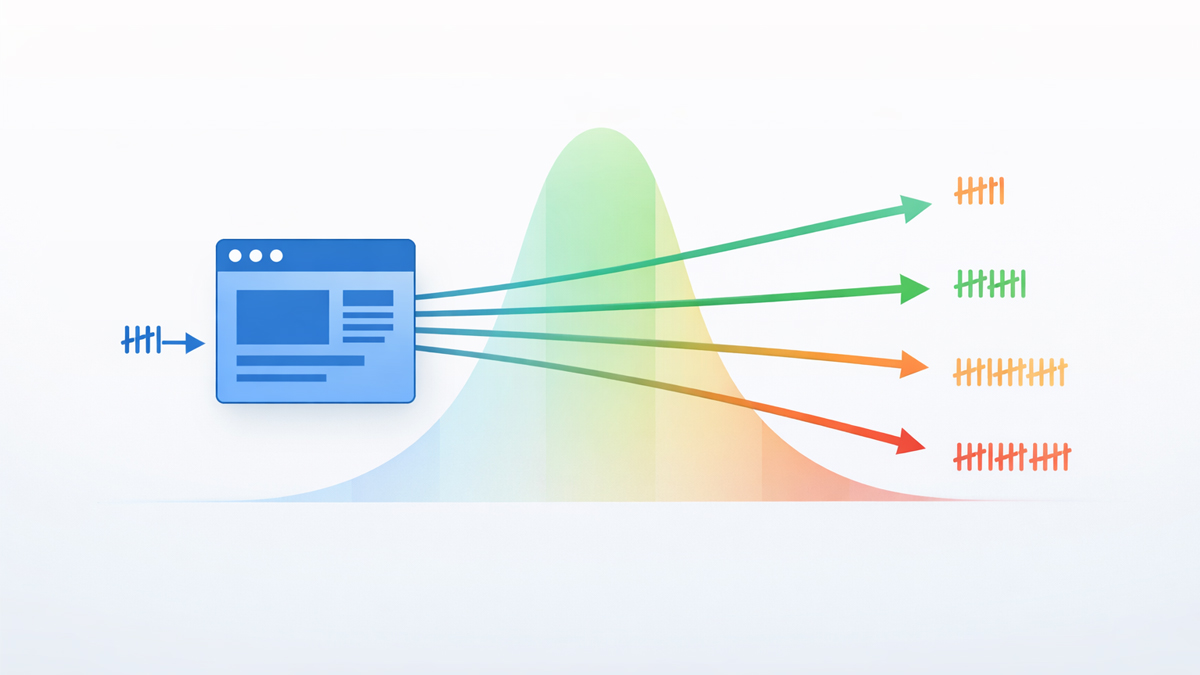
- Anchor text analysis: Can the tool show you what anchor text is used for each link? This is the most important feature for optimization — according to Authority Hacker, sites with anchor diversity below 30% see a 15-position ranking drop. If a tool doesn't export anchor text, it can't support anchor optimization.
- Visual analysis: Can you see patterns at a glance? Spreadsheets with 5,000 rows of anchor data don't reveal over-optimization patterns quickly. Visual tools like word clouds compress thousands of data points into an instant snapshot.
- Broken link detection: Does the tool flag 404s, 5xx errors, and redirect chains? Sites with 50+ broken internal links see 15-20% visibility drops according to technical SEO research.
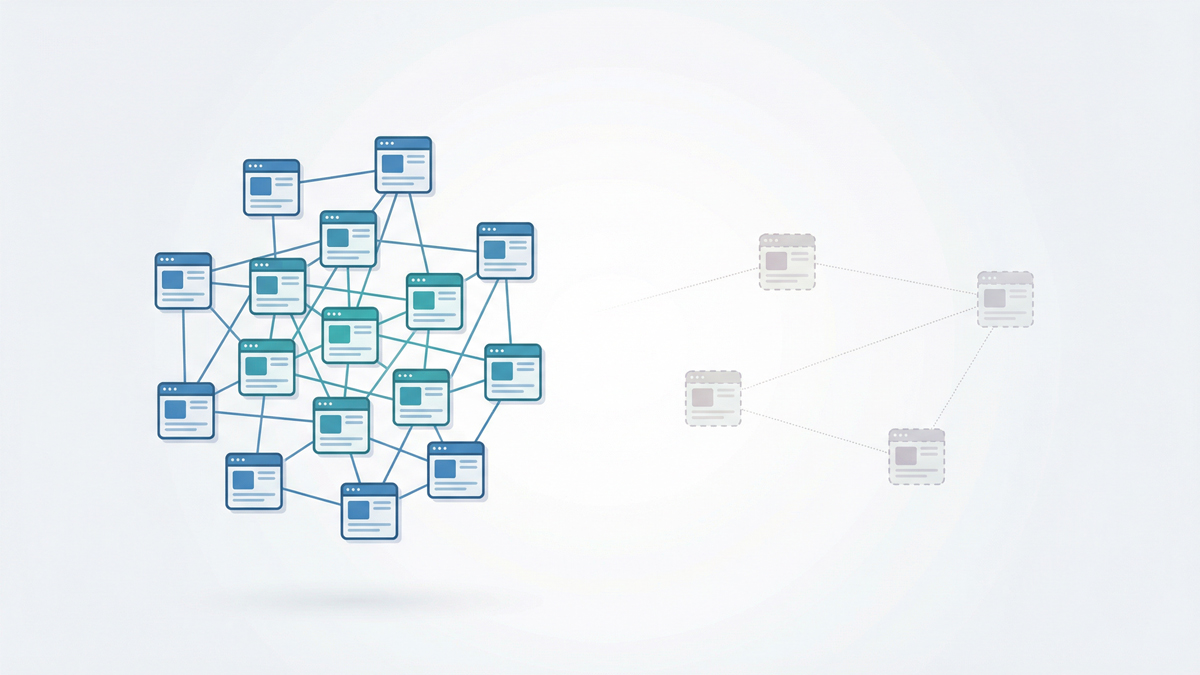
- Orphan page detection: Can the tool find pages with zero incoming internal links? Screaming Frog's data shows orphan pages get zero organic traffic in 96% of cases.
- Crawl depth reporting: Does the tool show how many clicks each page is from the homepage? The Zyppy study of 23 million links found that pages at depth 4+ get 9x less traffic.
- Data export: Can you export results to CSV or Excel? You need exportable data for tracking fixes over time and sharing with team members or developers.
- Price-to-value: Does the free tier actually deliver useful data, or is it a feature-locked teaser?
The Master Comparison Table
Here's every tool compared across all 8 criteria. This is the table you'll want to bookmark.
| Tool | Free Crawl Limit | Anchor Text | Visual Analysis | Broken Links | Orphans | Crawl Depth | Export | Price |
|---|---|---|---|---|---|---|---|---|
| SEOShouts Internal Link Checker | 500 pages | ✅ Full | ✅ Word Cloud | ✅ | ❌ | ✅ | ✅ CSV | Free |
| Screaming Frog | 500 URLs | ✅ Full | ❌ | ✅ | ✅ | ✅ | ✅ CSV/Excel | Free / £259/yr |
| Google Search Console | Unlimited | ❌ | ❌ | ❌ | ❌ | ❌ | ✅ CSV | Free |
| Ahrefs Site Audit | 100 URLs (free) | ✅ Full | ❌ | ✅ | ✅ | ✅ | ✅ CSV | $99/mo+ |
| Semrush Site Audit | 100 URLs (free) | ✅ Full | ❌ | ✅ | ✅ | ✅ | ✅ CSV | $139/mo+ |
| Sitebulb | 500 URLs (trial) | ✅ Full | ✅ Charts | ✅ | ✅ | ✅ | ✅ CSV/Excel | $13.50/mo+ |
| LinkStorm | Limited (trial) | ✅ Full | ❌ | ✅ | ✅ | ❌ | ✅ CSV | $19/mo+ |
| SEO Review Tools | 1 page | ✅ Page-level | ❌ | ✅ | ❌ | ❌ | ❌ | Free |
| SEOptimer | 1 page | ✅ Page-level | ❌ | ✅ | ❌ | ❌ | ❌ | Free / $19/mo |
| SEOmator | 1 page | ✅ Page-level | ❌ | ✅ | ❌ | ❌ | ❌ | Free / $49/mo |
Three tools crawl your entire site for free (SEOShouts, Screaming Frog, Google Search Console).
The rest either limit free crawls to a single page or cap at 100 URLs.
Tool-by-Tool Breakdown
1. SEOShouts Internal Link Checker
Best for: Quick visual audits of sites under 500 pages
The SEOShouts Internal Link Checker crawls up to 500 pages from any starting URL and generates a complete link report with one unique feature no other free tool offers: a visual word cloud of your anchor text distribution.
The word cloud instantly reveals patterns that take hours to find in a spreadsheet.
If one keyword dominates the visualization, you have an over-optimization problem.
If the cloud is full of "click here" and "read more," you have a generic anchor problem.
According to Semrush's analysis, 25% of all internal links across 10 million pages use generic anchor text — the word cloud catches this in seconds.
What it shows: total internal links per page, destination URLs, anchor text for every link, HTTP status codes (flags broken links), and crawl depth. No account required — enter a URL and start crawling.
What it doesn't do: orphan page detection (it can only find pages reachable by links, not pages missing from the link graph entirely — you'd need to cross-reference with your sitemap for that). No JavaScript rendering. Caps at 500 pages.
Verdict: The strongest free internal link checker for anchor text analysis. The word cloud visualization is genuinely unique — no competitor offers anything similar at zero cost.
2. Screaming Frog SEO Spider
Best for: Comprehensive audits of any size site
Screaming Frog is the industry standard desktop crawler.
The free version handles up to 500 URLs with full internal link source URLs, destination URLs, anchor text, status codes, crawl depth, nofollow attributes, and redirect chains.
The paid version (£259/year) removes the limit and adds crawl comparison, JavaScript rendering, and custom extraction.
Its internal linking audit capabilities are the deepest of any tool.
You can filter by inlinks, outlinks, anchor text, response codes, crawl depth, and link type (navigation, content, footer).
The "Crawl Tree Graph" visualization shows your site's depth structure.
The "Link Score" metric approximates how much internal link equity each page receives relative to others.
What it doesn't do: no visual anchor text analysis (word cloud). All data is presented in spreadsheet tables.
The learning curve is steep for beginners — it's a power tool, not a beginner-friendly interface.
Verdict: The most comprehensive internal link analysis tool available.
If you're comfortable with data tables and need to audit a site beyond 500 pages, Screaming Frog is the standard.
Pair it with the SEOShouts word cloud for visual anchor analysis that Screaming Frog lacks.
3. Google Search Console
Best for: Ongoing monitoring of link distribution (supplementary tool)
GSC shows internal link counts under Links → Internal Links.
You can see which pages receive the most internal links and which receive the fewest.
It's free with no crawl limit — it covers your entire indexed site.
The critical limitation: GSC does not show anchor text. It doesn't report status codes, crawl depth, or redirect chains.
It can't detect orphan pages (it only shows pages Google has already found). It's a bird's-eye view of link distribution, not an audit tool.
Use GSC alongside a proper crawler, not instead of one.
Sort by "ascending" link count to find pages with only 1-2 internal links — these are near-orphans that need reinforcement.
The ideal internal linking ratio guide explains what healthy distribution looks like in GSC data.
Verdict: Essential as a supplementary tool for monitoring trends. Insufficient as a standalone audit tool.
4. Ahrefs Site Audit
Best for: Teams already paying for Ahrefs
Ahrefs' Site Audit module crawls your site and includes an internal linking report with orphan page detection, crawl depth analysis, and anchor text data.
The "Internal backlinks" view shows every internal link pointing to a given URL with full anchor text.
The audit integrates with Ahrefs' keyword and backlink data, so you can cross-reference internal link equity with actual ranking performance.
Ahrefs found that top-10 ranking pages receive an average of 44 internal links — their tool makes it easy to check which of your pages fall below that benchmark.
What it doesn't do: no visual anchor text analysis in free version. The free tier (Ahrefs Webmaster Tools) limits crawls to 100 URLs — not enough for a real audit.
Full access starts at $99/month, which prices out small sites and freelancers who only need link analysis.
Verdict: Excellent if you're already an Ahrefs subscriber. Not worth the subscription solely for internal link checking when free tools cover the core functionality.
5. Semrush Site Audit
Best for: Teams already paying for Semrush
Semrush's audit includes a dedicated "Internal Linking" report that flags issues, suggests fixes, and identifies link opportunities.
It detects orphan pages, broken links, redirect chains, and pages with excessive or insufficient internal links.
The "Internal Link Distribution" chart shows how links are spread across your site — useful for spotting equity hoarding (a few pages getting all the links while most get very few).
Semrush also provides "Internal Linking Opportunities" — suggested links based on topical relevance between your pages.
The free tier limits crawls to 100 URLs. Full Site Audit access starts at $139/month.
Like Ahrefs, the internal link features are part of a broader SEO suite — valuable if you use the whole platform, but expensive if you only need link analysis.
Verdict: The most actionable internal linking report of any enterprise tool thanks to the "Opportunities" feature. But $139/month is steep purely for link analysis.
6. Sitebulb
Best for: Visual learners who want deeper analysis than free tools
Sitebulb is a desktop crawler (like Screaming Frog) with a heavier emphasis on visualization.
Its internal link reports include charts showing link distribution, crawl depth, and equity flow.
The "Link Explorer" view shows bidirectional connections between pages.
The 14-day trial includes 500 URLs. Paid plans start at $13.50/month (Cloud Lite) — the most affordable paid option for full-site crawling.
It offers JavaScript rendering, which matters for sites built on React, Angular, or other JavaScript frameworks.
Verdict: A strong middle-ground between free tools and enterprise suites. Better visualization than Screaming Frog, more affordable than Ahrefs or Semrush. Good for agencies managing multiple client sites.
7. LinkStorm
Best for: Content teams focused on link opportunities
LinkStorm is purpose-built for internal linking.
It crawls your site, identifies orphan pages, suggests link opportunities between related content, and recommends anchor text.
The "Content Gap" feature finds page pairs that should be linked but aren't.
It does not report crawl depth, which is a significant gap — you'd need a separate crawler to verify that important pages are within 3 clicks of the homepage.
Pricing starts at $19/month after a limited trial.
Verdict: Best specialized internal linking tool for finding new link opportunities. Complements but doesn't replace a full crawler.
8. Linkbot
Linkbot is an automated internal linking tool that works across platforms (WordPress, Webflow, HubSpot, and custom sites).
It generates an internal link audit, finds orphan pages + missed opportunities, and can automatically insert internal links you approve.
It also includes Priority Indexer to help important pages get discovered and indexed faster by adding strategic internal links from your highest-traffic content.
9-11. SEO Review Tools, SEOptimer, SEOmator
Best for: Quick single-page checks
These three tools analyze one page at a time — you enter a URL and they list every internal and external link on that page with anchor text and follow/nofollow status.
They're useful for spot-checking a specific page before publishing, but they cannot crawl your site. No orphan detection, no crawl depth, no site-wide anchor analysis.
Think of them as page-level microscopes, not site-level auditors.
Verdict: Free and instant for page-level checks. Not substitutes for a full site crawl.
Which Tool Should You Use? Decision Framework
The right tool depends on your site size, budget, and what you need to analyze.
Sites under 500 pages, zero budget: Start with the SEOShouts Internal Link Checker for visual anchor analysis and link data.
Supplement with Google Search Console for link distribution monitoring.
Use Screaming Frog free version for orphan page detection (cross-reference crawl data with your sitemap).
Total cost: $0. This combination covers 90% of what enterprise tools provide.
Sites 500-5,000 pages, small budget: Use Screaming Frog paid (£259/year) as your primary crawler.
Add the SEOShouts word cloud for quick anchor text snapshots between full crawls. Use Google Search Console for ongoing monitoring.
Consider Sitebulb ($13.50/month) if you prefer visual reports over spreadsheet data.
Sites 5,000+ pages or agency managing multiple sites: Ahrefs or Semrush if you already subscribe for keyword/backlink data.
Screaming Frog paid for deep crawl data. LinkStorm if your primary need is finding new link opportunities at scale.
WordPress sites specifically: All of the above tools work on WordPress sites.
Additionally, WordPress-specific plugins like Link Whisper and Internal Link Juicer can suggest links as you write content.
See our dedicated comparison of WordPress internal linking plugins for plugin-specific recommendations.
How to Run Your First Internal Link Audit With Free Tools
Here's the exact workflow using only free tools.
Total time: approximately 45 minutes for a site under 500 pages.
Step 1 (5 minutes): Run the internal link checker word cloud tool. Enter your homepage URL. Review the word cloud — look for generic anchors dominating the visual ("click here," "read more") or any single keyword taking up disproportionate space.
Step 2 (10 minutes): Export the link data. Sort by status code — flag any 404s or redirect chains. Sort by destination URL — check that priority pages receive 5+ internal links.
Step 3 (10 minutes): Open Google Search Console → Links → Internal Links. Sort ascending. Pages with fewer than 3 internal links need reinforcement.
Step 4 (10 minutes): Run Screaming Frog (free, up to 500 URLs). Export "All Inlinks" data. Cross-reference the crawled URLs against your XML sitemap to find orphan pages. Check the crawl depth column — flag anything at depth 4+.
Step 5 (10 minutes): Compile findings in a spreadsheet. Prioritize fixes using the framework from our internal link audit guide: broken links to priority pages first, then orphans, then generic anchors, then deep pages.
This 3-tool free stack (SEOShouts + GSC + Screaming Frog) provides anchor text visualization, link distribution data, broken link detection, orphan page identification, and crawl depth reporting.
The only gap compared to paid tools is automated link suggestions — which you can do manually using the topic cluster approach.
What No Tool Can Tell You
Tools find structural problems. They cannot evaluate whether your links make editorial sense.
A tool will tell you that Page A links to Page B with anchor text "SEO strategy."
It cannot tell you whether that link helps the reader, whether the anchor text accurately describes Page B, or whether the link placement feels natural within the sentence.
This is why anchor text optimization requires human judgment — or at minimum, an understanding of the principles behind semantic anchor text writing.
Tools audit the structure. You optimize the meaning.
AI search engines like ChatGPT and Perplexity parse your anchor text as semantic signals.
According to Yoast's research, internal links function as "context signals that shape how AI models understand your topics."
A tool can flag that your anchors are generic. Only you can rewrite them into natural-language descriptions that both users and AI models find useful.
For the full framework on writing anchors that AI models parse effectively, see the anchor text optimization guide.
For the broader strategy of making your entire link structure AI-friendly, the complete internal linking guide covers architecture-level optimization.
Frequently Asked Questions
What is the best free internal link checker tool?
The SEOShouts Internal Link Checker is the best free option for sites under 500 pages — it's the only free tool with visual anchor text word cloud analysis, plus full link crawling with status codes and crawl depth.
Screaming Frog's free version also crawls 500 URLs with comprehensive data export.Google Search Console is free with no crawl limit but only shows link counts, not anchor text.
How do I check internal links on my website?
Enter your homepage URL into any internal link checker tool.
The tool follows every internal link it finds, recording source URLs, destinations, anchor text, and status codes.
Review results for broken links (404s), pages with zero incoming links (orphans), generic anchor text, and pages exceeding 50 total links.
Our step-by-step audit guide walks through the full process.
Does Google Search Console show internal links?
Yes — go to Links → Internal Links to see which pages receive the most internal links.
Sort ascending to find underlinked pages.
However, GSC does not report anchor text, crawl depth, or status codes.
You need a dedicated crawler like SEOShouts or Screaming Frog for full audit data.
Can Screaming Frog check internal links for free?
Yes. The free version crawls up to 500 URLs with full internal link data including anchor text, status codes, crawl depth, and nofollow attributes.
The paid version (£259/year) removes the URL limit and adds JavaScript rendering, crawl comparison, and custom extraction.
What should I look for in an internal link checker tool?
The 8 key features: crawl limit (500+ pages minimum), anchor text analysis, visual pattern detection, broken link detection, orphan page identification, crawl depth reporting, data export capability, and reasonable pricing.
If a tool can't show anchor text distribution, it's not sufficient for a real audit.