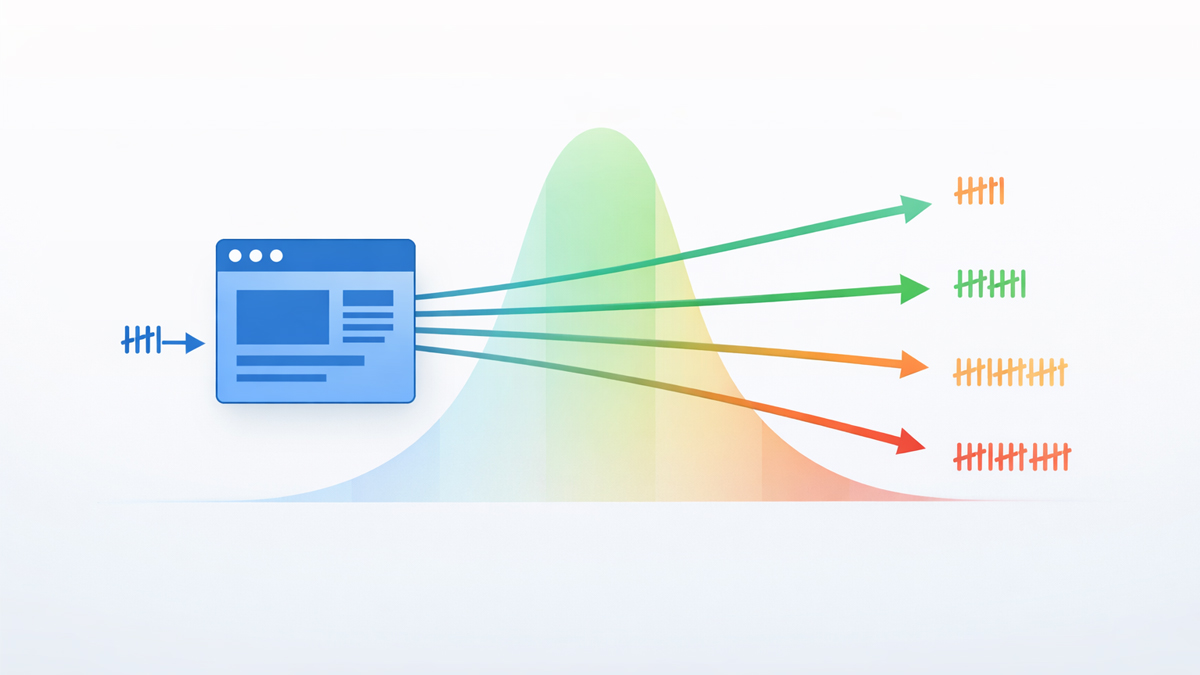
Pages with 45-50 total internal links see peak organic traffic.
Beyond 50, traffic declines.
For contextual body links, aim for 3-5 per 1,000 words.
These numbers come from Zyppy's analysis of 23 million internal links, the largest study on internal link quantity ever conducted.
But the raw number alone is misleading.
A homepage with 50 links functions differently from a blog post with 50 links.
Your navigation template eats into your link budget before you write a single word.
This guide breaks down the exact calculations by page type, shows you how to audit your current link count, and explains why the "150 links per page" advice you've seen elsewhere is outdated.
What the Data Actually Says
The internet is full of conflicting advice on internal link counts. Some guides say "under 150."
Others say "under 100."
Google's own documentation once referenced a 100-link guideline that was later removed.
Here's what the actual research shows.
Zyppy's 23 million link study is the most comprehensive analysis available.
Key findings: organic traffic peaks on pages with 45-50 total internal links. Pages below this range receive less traffic than they could.
Pages above 50 begin to see diminishing returns and eventual traffic decline.
The study measured ALL links on the page, navigation, footer, sidebar, and body content combined.
Ahrefs' analysis of 14,000 websites found that top-10 ranking pages receive an average of 44 internal links pointing to them.
This aligns with the Zyppy data; pages in the 44-50 range occupy the sweet spot.
Google's John Mueller has stated that "excessive internal links reduce their effectiveness" and that pages with too many links make it harder for Google to determine which links are most important. He hasn't specified an exact number, but the pattern is clear: more is not always better.
The old "150 links" advice comes from a 2009 Google guideline about crawl efficiency, not about ranking performance.
Google's crawlers can technically process hundreds of links per page.
But just because a crawler CAN follow 150 links doesn't mean 150 links is optimal for rankings and traffic.
The Zyppy data proves the performance ceiling is much lower, around 50.
For the complete context on how internal links affect SEO, see the complete internal linking guide.
Total Links vs Contextual Links: The Critical Distinction
This is where most guides fail.
They tell you "add 5-10 internal links" without distinguishing between total page links and contextual body links.
These are fundamentally different metrics.
Total page links include everything: header navigation, footer links, sidebar widgets, breadcrumbs, author bylines, related post sections, and contextual body links.
On a typical WordPress site, the navigation template alone might contain 20-35 links before you write a single word of content.
Contextual body links are links placed within your actual written content.
They're the most valuable type because Google's "Reasonable Surfer" model assigns a higher weight to links that users are likely to click based on context.
A link embedded in a paragraph about anchor text optimization carries more relevance than the same link tucked into a footer.
Our analysis of where links carry the most SEO weight covers this ranking difference in detail.
The targets:
| Metric | Optimal Range | Source |
|---|---|---|
| Total links per page (all types) | 45–50 | Zyppy (23M links) |
| Contextual body links per 1,000 words | 3–5 | Industry consensus / Zyppy |
| Minimum incoming links per page | 3+ | Crawl discovery threshold |
| Minimum outgoing links per page | 2–3 | Equity distribution minimum |
The formula is straightforward: Available contextual links = 50 – template links. If your navigation, footer, and sidebar contain 30 links, you have room for ~20 contextual body links total. If your template has 40, you only have room for ~10.
How to Calculate Your Link Budget
Before planning how many contextual links to add to any piece of content, you need to know your template overhead.
Step 1: Count your template links. Open any page on your site and count every link in the header navigation, footer, sidebar, and any persistent elements (search bars that link, logo links, social media icons that link internally). This number is your template baseline.
Step 2: Calculate available contextual slots. Subtract your template count from 50. That's your maximum contextual body link budget per page.
Step 3: Match to content length. At 3-5 contextual links per 1,000 words, a 2,000-word post needs 6-10 body links. A 5,000-word guide needs 15-25. If your content length requires more links than your budget allows, you either need to shorten the content or trim your template links.
Example calculation:
Your site template has: 12 header navigation links + 8 footer links + 5 sidebar links + 3 breadcrumb links = 28 template links.
Available contextual budget: 50 – 28 = 22 contextual links maximum.
For a 3,000-word article at 4 links per 1,000 words: 12 contextual links needed. You're well within budget (12 of 22 used).
For a 7,000-word pillar page at 4 links per 1,000 words: 28 contextual links needed. That exceeds your 22-link budget.
Options: reduce to 3 links per 1,000 words (21 links), or trim 6 template links from the sidebar/footer.
Run the SEOShouts Internal Link Checker on any page to see your current total link count instantly, without counting manually.
Optimal Link Counts by Page Type
Different pages serve different purposes and need different link strategies.
Blog Posts (1,000–3,000 words)
Target: 3-5 contextual links per 1,000 words
A standard 2,000-word blog post should contain 6-10 contextual internal links.
These should link to related cluster articles (horizontal links), the pillar page (vertical link), relevant tool pages, and service pages where appropriate.
Every blog post should link to at least one pillar page and one tool page.
The remaining links go to topically related articles.
Follow the anchor text optimization guide to ensure each link uses unique, descriptive anchor text, and never repeat anchors for the same destination.
Pillar Pages (3,000–7,000 words)
Target: 4-5 contextual links per 1,000 words
Pillar pages are hubs that link to every article in their topic cluster.
A pillar with 12 cluster articles needs at minimum 12 links to cluster content, plus links to tools, services, and related clusters.
This naturally pushes pillar pages toward the higher end of the link budget.
Watch your template overhead carefully.
If your template uses 30 links, a pillar page with 20 cluster links is already at 50.
Trim template links on pillar pages if necessary, consider removing or reducing sidebar content to free up link budget.
Tool Pages
Target: 8-15 contextual links total
Tool pages are shorter but need strategic links. Link to the pillar page ("learn more about internal linking"), to the most relevant cluster articles ("how to run an internal link audit"), and to related tools ("also try our on-page SEO analyzer").
Every tool page should connect to educational content that brings users into the content ecosystem.
Service Pages
Target: 5-10 contextual links total
Service pages need links to relevant blog content that demonstrates expertise, to related service pages (cross-selling), and to tool pages that complement the service.
Link to case studies or data-driven content when available; these build trust and pass topical relevance.
Homepage
Target: 10-20 contextual links (beyond navigation)
Your homepage has the most link equity on the entire site. Use it strategically.
Link to your top 5-10 priority pages, the pages you most want to rank.
Don't waste homepage links on low-value pages.
Every link from your homepage passes significant authority, so choose destinations carefully.
Category and Archive Pages
Target: Keep within 50 total, minimize manual additions
Category pages auto-generate links to every post in the category.
On large blogs, this can easily exceed 50 links.
If a category page lists 40 posts plus 30 template links, you're at 70, well over the optimal zone.
Implement pagination to keep each page within the 50-link ceiling, or limit the number of posts shown per page.
What Happens When You Have Too Many Links?
The Zyppy data shows traffic declining beyond 50 links, but why?
Three mechanisms explain the drop.
1. Link equity dilution
A page's total link equity is divided among all the links it contains.
- A page with 20 links gives each link ~5% of its equity.
- A page with 100 links gives each link ~1%.
At some point, each individual link passes so little equity that it barely registers.
Google's original PageRank formula explicitly models this dilution.
2. Crawl signal confusion
When a page links to 80 different destinations, it's harder for Google to determine which links are most important.
A page with 10 focused, relevant links sends clearer topical signals than one with 80 links pointing in every direction.
John Mueller's comment about "excessive links reducing effectiveness" likely refers to this signal dilution.
3. User experience degradation
Pages overloaded with links become difficult to read. Users can't distinguish important links from decorative ones.
Click-through rates on individual links drop as the total count rises.
This behavioral signal may indirectly affect rankings through engagement metrics.
The exception: navigation-heavy pages like homepages, site directories, and resource hubs can exceed 50 links if the page's primary purpose IS navigation. Google evaluates page type when assessing link density. A site directory with 100 links is expected; a 500-word blog post with 100 links is suspicious.
What Happens When You Have Too Few Links?
Under-linking is just as common as over-linking and equally damaging.
Pages with zero incoming links (orphans) get zero traffic 96% of the time, according to Screaming Frog. These are invisible to both users and crawlers. Our complete orphan page guide covers detection and repair.
Pages with zero outgoing links (dead-ends) hoard equity instead of distributing it. If a blog post receives 10 incoming links but links to nothing, all the equity flowing into it stops there. Adding outgoing links from dead-end pages to your priority content is one of the easiest SEO wins available.
Pages with only 1-2 incoming links are fragile; a single structural change (deleting the linking page, changing the URL) can orphan them. Every page needs a minimum of 3 incoming links for resilience.
Pages with only 1-2 outgoing links waste their distribution potential. Even a short page should link to 2-3 related pages to keep equity moving through the site.
Benchmark: No page should have fewer than 3 incoming links OR fewer than 2 outgoing contextual links.
The Incoming vs Outgoing Balance
Most guides only discuss how many links TO add on a page.
But internal linking is bidirectional, you also need to plan how many links each page RECEIVES.
Incoming links determine a page's authority and discoverability.
Priority pages (tools, services, pillar content) should receive 10-20+ incoming links from diverse sources across the site.
Supporting content (blog posts, cluster articles) should receive 3-10 incoming links.
Outgoing links determine how much equity a page distributes and where it flows.
Every page should link to priority content, related content within its cluster, and the pillar page.
The Databox survey found that 42% of SEOs spend equal time on building incoming and outgoing internal links.
The other 58% focus more on one direction, which means they're leaving the other direction underoptimized.
For the full picture on balancing incoming and outgoing ratios, see the ideal internal linking ratio.
How to Audit Your Current Link Counts
You need to know where your pages currently stand before optimizing.
Quick method: Run the internal link checker. The results show total outgoing internal links per page. Sort descending to find pages exceeding 50; these need trimming. Sort ascending to find pages below 3 outgoing links; these are dead ends that need links added.
GSC method: Go to Links → Internal Links in Google Search Console. This shows incoming link counts per page. Sort ascending to find pages with fewer than 3 incoming links. These are underlinked or near-orphan pages.
Full audit: Use Screaming Frog to export both incoming and outgoing link data per page. Create a spreadsheet with: URL, Total Outgoing Links, Contextual Outgoing Links, and Incoming Link Count. Flag anything outside the benchmarks. For the complete audit process, see our step-by-step internal link audit guide.
Link Counts and AI Search
AI search engines add a new consideration to the link-counting strategy.
AI crawlers (GPTBot, ClaudeBot, PerplexityBot) have limited crawl budgets just like Google's crawlers.
When they encounter a page with 100+ links, they have to decide which links to follow.
Pages with focused, relevant link sets make this decision easier; the AI crawler follows the most contextually relevant links and builds a cleaner semantic map.
According to SEOClarity's research, strong internal linking gives AI engines clearer semantic signals for generative results.
This clarity comes not from link volume, but from link relevance; a page with 15 highly relevant contextual links provides better AI signals than a page with 60 loosely related links.
The AI-era refinement to link strategy: quality of contextual relevance matters more than ever.
Each link should use natural language anchor text that describes the destination's content in a way both users and AI models can parse.
Don't add links just to hit a number; add links that strengthen the semantic relationship between pages.
Common Misconceptions
"Google limits pages to 150 links." False.
Google can crawl pages with hundreds of links.
The old 150-link guidance was about crawl efficiency, not ranking performance.
The practical performance ceiling is ~50 links per page based on the Zyppy traffic data.
"More internal links always help." False.
Linking helps up to ~50 links per page.
Beyond that, each additional link provides diminishing returns and can actively reduce traffic.
"Navigation links don't count." False.
Every link on the page, header, footer, sidebar, and body, counts toward the total.
Template links consume your link budget before you write a single word.
"You should link to every page from every page." False.
Linking everything to everything destroys topical signals and dilutes equity to meaningless levels.
Link intentionally based on topical relevance and content relationships.
"Footer links are worthless." Partially true.
Footer links carry less individual SEO weight than body links, but they still count toward your total link budget and pass some equity.
If your footer has 20 links, that's 20 links consumed from your 50-link ceiling.
See our footer vs body vs sidebar link analysis for the data.
Quick Reference: Link Count Benchmarks
| Page Type | Total Links (all types) | Contextual Body Links | Min Incoming | Min Outgoing |
|---|---|---|---|---|
| Blog post (1-2K words) | 35–45 | 6–10 | 3+ | 3+ |
| Blog post (3K+ words) | 40–50 | 10–15 | 3+ | 5+ |
| Pillar page (5K+ words) | 45–50 | 15–25 | 10+ | 10+ |
| Tool page | 35–45 | 8–15 | 5+ | 3+ |
| Service page | 35–45 | 5–10 | 5+ | 3+ |
| Homepage | 40–50 | 10–20 | N/A | 10+ |
| Category page | 40–50 | Auto-generated | 3+ | Auto |
These ranges account for the typical template overhead of 25-35 links.
Adjust based on your actual template count.
Frequently Asked Questions
How many internal links should a page have?
Pages with 45-50 total internal links see peak organic traffic according to Zyppy's analysis of 23 million links.
This includes all link types: navigation, footer, sidebar, and body content combined.
For contextual body links, aim for 3-5 per 1,000 words.
Can too many internal links hurt SEO?
Yes. Traffic declines on pages exceeding 50 total links.
Excessive links dilute equity, confuse crawlers about page priorities, and can trigger quality signals.
Google's John Mueller has confirmed that excessive internal links reduce their effectiveness.
How many contextual internal links per 1,000 words?
3-5 contextual links per 1,000 words is the standard.
A 2,000-word article needs 6-10 body links.
A 5,000-word guide supports 15-25.
Adjust based on your template overhead. If your navigation uses 35 links, you have less room for body links.
Do navigation links count toward the internal link limit?
Yes. Every clickable link counts; header, footer, sidebar, breadcrumbs, and body links all contribute.
If your template has 30 links, you have room for ~20 contextual body links before hitting the 50-link optimal zone.
Is there a minimum number of internal links a page should have?
Every page needs at minimum 3 incoming links (crawl discovery and resilience) and 2-3 outgoing contextual links (equity distribution).
Pages with zero outgoing links are dead ends that waste the authority flowing into them.
Pages with zero incoming links are orphan pages that get zero traffic 96% of the time.