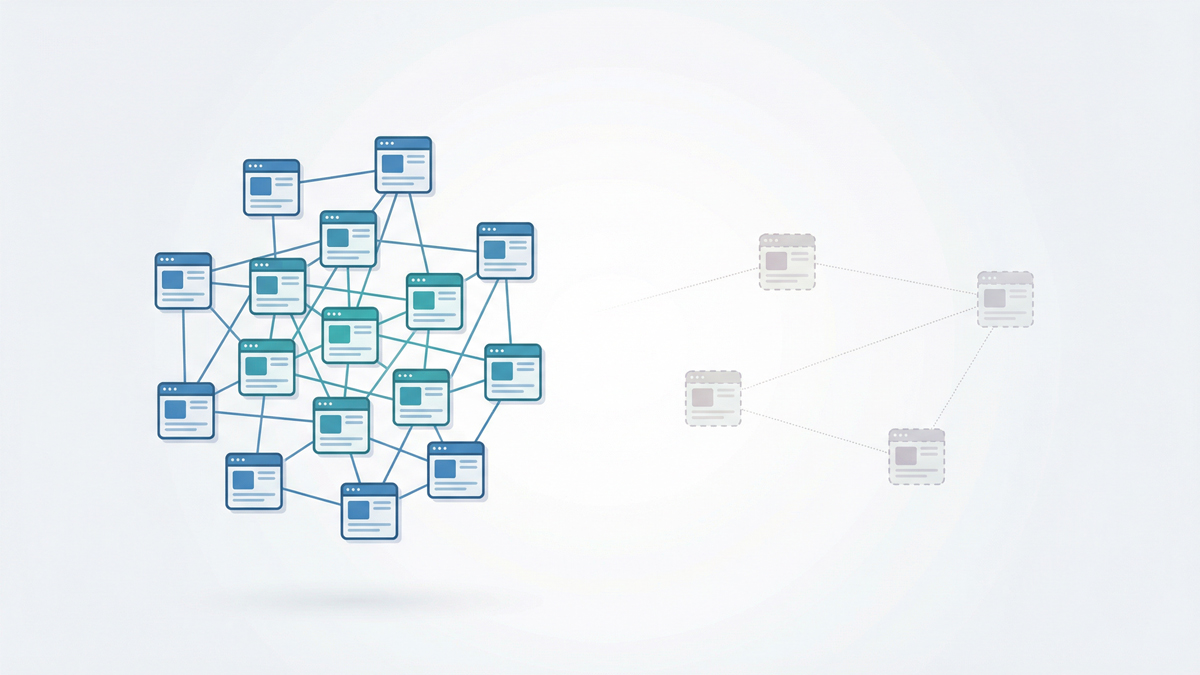
An orphan page is a page on your website with zero internal links pointing to it.
No other page on your site links to it, which means search engine crawlers may never find it and users can never navigate to it.
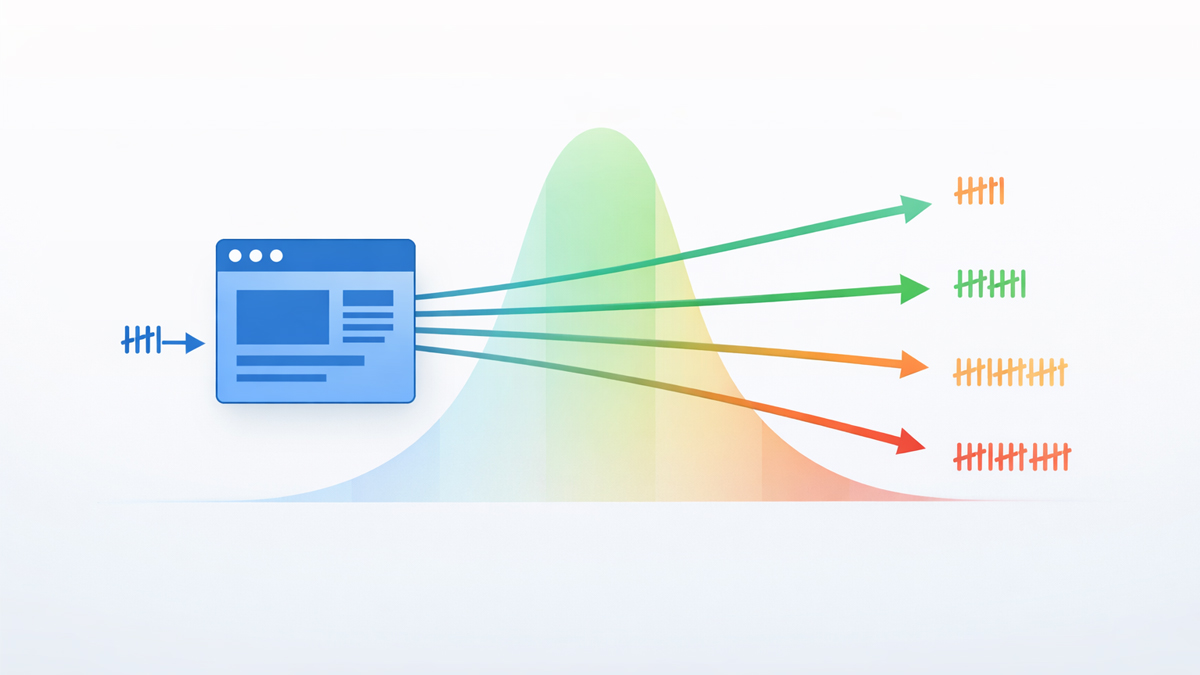
Screaming Frog's audit data shows orphan pages receive zero organic traffic in 96% of cases.
This guide explains exactly how orphan pages happen, how to find them using free tools, what to do with each one (not all orphan pages deserve the same treatment), and how to prevent them from recurring.
What Is an Orphan Page?
An orphan page exists on your server — it has a URL, it loads when you visit it directly, it may even be in your XML sitemap.
But no other page on your website contains a hyperlink pointing to it.
It is completely disconnected from your internal link structure.
Think of your website as a subway system.
Every page is a station.
Internal links are the tracks connecting stations.
An orphan page is a station with no tracks leading to it — passengers (users) and trains (crawlers) have no way to reach it.
This is different from two related but distinct problems.
A dead-end page has incoming links but no outgoing links — it can be reached, but it doesn't link to anything else, hoarding link equity instead of distributing it.
A 404 page doesn't exist at all — the server returns an error.
An orphan page exists and works; it's just invisible within your site's navigation and link architecture.
Google's John Mueller has stated that "internal linking is super critical for SEO" and is "one of the biggest things you can do on a website."
Orphan pages are the direct opposite — they receive none of the benefits that internal linking provides.
For the full picture of how internal links work and why they matter, see the complete internal linking guide.
Why Orphan Pages Destroy SEO
Orphan pages create four compounding problems.
1. Crawl discovery failure
Google's crawlers find new pages by following links from pages they already know.
If no internal link points to a page, the crawler has to discover it through the XML sitemap (if the page is included) or through an external backlink (if any exist).
This is unreliable — Google may take weeks or months to discover and index an orphan page, if it ever does.
Semrush research found that websites addressing orphan pages see 15-20% improvements in crawl efficiency.
2. Zero link equity
Link equity flows from page to page through internal links.
An orphan page receives zero equity from the rest of your site, regardless of how strong your homepage or other pages are.
Without equity, the page has virtually no ranking authority.
Even if the content is excellent, it's competing against pages on other sites that have full link equity support.
3. Broken topical authority
In the topic cluster model, every article in a cluster links to related articles and the pillar page.
If one cluster article is orphaned, it breaks the authority chain — the pillar page doesn't link to it, sibling articles don't link to it, and the entire cluster's topical signal weakens.
Our guide on topic clusters vs silo structures explains how these connections build authority.
4. AI search invisibility
AI crawlers — GPTBot (ChatGPT), ClaudeBot (Claude), PerplexityBot — build semantic maps of your site by following internal links.
If a page has no incoming links, AI crawlers can't include it in their understanding of your site's expertise.
According to Yoast's research, internal links serve as "context signals that shape how AI models understand your topics."
An orphan page exists outside that context entirely — it cannot be cited in AI-generated answers because the AI never discovered it.
Screaming Frog's audit data quantifies the damage: orphan pages get zero organic traffic 96% of the time.
Not low traffic — zero.
Four percent get some traffic, usually through external backlinks or direct URL access, but even those receive far less traffic than properly linked pages.
What Causes Orphan Pages?
Orphan pages rarely happen on purpose.
These are the most common causes I find during audits.
New content published without linking
You write a blog post, hit publish, and move on to the next task. Nobody goes back to existing articles to add links pointing to the new post.
The new post has outgoing links to older content, but nothing links back to it.
Site redesign or migration
During a redesign, navigation menus change, URL structures shift, and pages get reorganized.
Old links break, new pages aren't connected, and the migration checklist missed the internal linking step.
This is the most common cause of mass orphaning — dozens or hundreds of pages losing their links simultaneously.
Deleted linking pages
Page A was the only page linking to Page B.
You delete Page A (or redirect it to a completely different page), and Page B becomes an orphan instantly.
Campaign landing pages
You create landing pages for paid advertising campaigns — Google Ads, social media promotions — and never add them to your site's navigation or content.
After the campaign ends, the pages sit abandoned with zero internal connections.
CMS auto-generation
Some content management systems create pages automatically — tag pages, author archives, date-based archives, pagination pages.
These auto-generated pages often have no internal links from your actual content.
E-commerce product changes
Products go out of stock, categories get restructured, seasonal collections rotate.
Each change can disconnect pages that were previously linked.
The root cause in every case is the same: a lack of systematic internal link maintenance.
Publishing content without a linking step, or changing site structure without auditing link connections.
How to Find Orphan Pages (3 Methods)
Finding orphan pages requires comparing what your crawler can discover (by following links) with what actually exists on your site (your full URL inventory).
Here are three methods, from simplest to most thorough.
Method 1: Crawler + Sitemap Comparison (Recommended)
This is the most reliable method and works for any site.
- Step 1: Crawl your entire site using the SEOShouts Internal Link Checker (free, up to 500 pages) or Screaming Frog (free up to 500 URLs, paid for larger sites). The crawler follows every internal link it finds, building a list of all discoverable pages.
- Step 2: Export your XML sitemap URLs. Your sitemap contains every page you've told search engines about. Most CMS platforms auto-generate sitemaps, or you can find yours at yourdomain.com/sitemap.xml.
- Step 3: Compare the two lists. Any URL that appears in your sitemap but was NOT found during the crawl is a potential orphan page. It exists (it's in the sitemap) but no internal link leads to it (the crawler couldn't find it).
In Screaming Frog, this is even easier — enable "Crawl Linked XML Sitemaps" in Configuration → Spider → Crawl, and Screaming Frog will flag URLs found in the sitemap but not in the crawl as "Orphan URLs."
Method 2: Google Search Console Internal Links Report
Go to Links → Internal Links in Google Search Console.
Sort the list by ascending link count.
Pages showing 0-2 internal links are orphaned or near-orphaned.
This method is free and has no crawl limit, but it only shows pages Google has already discovered.
True orphan pages that Google hasn't found won't appear here at all.
Use this as a supplementary check, not your primary method.
Method 3: Log File Analysis (Advanced)
Server log files record every request made to your site — including crawler visits.
Cross-referencing log file data with crawl data reveals pages that Googlebot has visited (through your sitemap or external links) but that have zero internal links.
This is the most comprehensive method because it catches orphans that Google found through non-link sources.
Tools like Screaming Frog's Log File Analyzer (paid) or Botify can process log files.
This method is overkill for sites under 5,000 pages but essential for enterprise sites.
The 4-Action Decision Framework
Not every orphan page deserves the same fix.
After finding your orphans, evaluate each one and choose from these four actions.
Action 1: Reconnect (Add Internal Links)
When to use: The page has valuable content, targets a useful keyword, and belongs in your site structure.
How: Find 3-5 existing pages where a contextual link to the orphan page makes topical sense. Write unique, descriptive anchor text for each link.
Place links in the body content — links in the first 2-3 paragraphs carry the most weight according to Google's "Reasonable Surfer" model.
Every reconnected page needs a minimum of 3 incoming internal links.
This ensures multiple discovery paths for crawlers and distributes equity from multiple sources. F
ollow the anchor text principles from our anchor text optimization guide — never repeat the same anchor for the same destination.
Also add outgoing links FROM the orphan page to 3-5 related pages.
This turns it from both an orphan and a dead-end into a fully connected node in your link graph.
Example: You published a blog post about "robots.txt best practices" six months ago but never linked to it from other content. Find your articles about technical SEO, crawlability, and site architecture, and add contextual links from each to the robots.txt post.
Action 2: Merge and Redirect
When to use: The orphan page covers a topic that's already addressed by another page on your site. The content is partially duplicative or thin.
How: Identify the stronger page covering the same topic.
Move any unique valuable content from the orphan page to the stronger page.
Set up a 301 redirect from the orphan URL to the stronger page.
If the orphan had any external backlinks, the redirect preserves that equity.
Example: You have an orphan page titled "Internal Linking Tips" and a comprehensive pillar page titled "Complete Internal Linking Guide." Merge the tips into the guide and redirect the old URL.
Action 3: Noindex (Keep But Hide)
When to use: The page serves a purpose (PPC landing page, internal tool, thank-you page) but shouldn't appear in organic search results and doesn't need to be part of your internal link structure.
How: Add a noindex meta tag to the page. Remove it from your XML sitemap. Keep the page live for its intended purpose (ad campaigns, form confirmations, etc.) but don't waste crawl budget on it.
Important: make sure the page is still crawlable (not blocked in robots.txt). Search engines need to crawl the page to see the noindex directive.
Example: A landing page created for a Google Ads campaign that's still running. The page works fine for paid traffic but shouldn't compete with your organic content.
Action 4: Delete (410 or 404)
When to use: The page has no value, no traffic, no backlinks, and no purpose. It's dead weight.
How: Delete the page. Return a 410 (Gone) status code rather than a 404 — 410 tells Google the page was intentionally removed, and Google will de-index it faster.
If any internal links pointed to this page previously (from when it wasn't orphaned), update those links to point to a relevant alternative.
Check for external backlinks first using Google Search Console or Ahrefs.
If the page has valuable backlinks, redirect rather than delete — you'd lose that equity otherwise.
Example: An auto-generated tag page with no unique content, no traffic, and no backlinks. Delete it.
Decision Matrix
Use this table to quickly categorize each orphan page:
| Question | Yes → Action | No → Next Question |
|---|---|---|
| Does the page target a valuable keyword? | Reconnect (Action 1) | ↓ |
| Does a stronger page cover the same topic? | Merge & Redirect (Action 2) | ↓ |
| Does the page serve a non-SEO purpose (ads, tools)? | Noindex (Action 3) | ↓ |
| Does the page have any external backlinks? | Redirect to closest relevant page | Delete (Action 4) |
How to Prevent Orphan Pages
Fixing orphans is reactive. Prevention is better. Build these habits into your publishing workflow.
Rule 1: The new content linking protocol
Every time you publish a new page, immediately go back and add 3-5 internal links from existing relevant content to the new page.
Simultaneously, add 3-5 links from the new page to existing content.
This ensures the new page is never orphaned from the moment it goes live.
Make this a non-negotiable step in your content publishing checklist.
Rule 2: Monthly orphan scan
Run your site through the internal link checker monthly.
Cross-reference the crawl data with your sitemap.
This takes 15 minutes and catches orphans before they accumulate.
See our full internal link audit process for the complete monthly workflow.
Rule 3: Migration link audit
Before any site redesign or migration, export your current internal link map.
After the migration, re-crawl and verify that every page that had incoming links before still has incoming links after.
This is where most mass-orphaning happens.
Rule 4: Deletion protocol
Before deleting any page, check if it's the only page linking to another page.
If Page A links to Page B, and you delete Page A, Page B might become an orphan.
Either add alternative links to Page B before deleting Page A, or redirect Page A to a page that also links to Page B.
Rule 5: CMS configuration
Configure your CMS to automatically link new blog posts from category pages, tag pages, or archive pages.
Most WordPress themes do this by default.
If you use a custom CMS, verify that new content appears in at least one navigation or listing page automatically.
Orphan Pages and AI Search: The 2026 Factor
AI search engines add a new dimension to the orphan page problem.
Traditional Google crawlers can still find orphan pages through XML sitemaps — slowly and unreliably, but it happens.
AI crawlers (GPTBot, ClaudeBot, PerplexityBot) are more dependent on link-based discovery.
They use internal links not just to find pages, but to build semantic relationships between them.
When ChatGPT answers a question about "anchor text optimization" and cites a source, it traces the semantic web of the cited site.
If your anchor text article links to your internal link checker tool, and the tool links to your audit guide, and the audit guide links back to the anchor text article — the AI builds a high-confidence model of your expertise across that topic.
An orphan page breaks this chain.
Even if the orphan has excellent content, the AI can't connect it to your broader topical authority.
It's a node without edges in the AI's semantic graph.
This makes orphan page detection more critical in 2026 than ever before.
Not just for Google rankings — for AI citation visibility. Ensure your robots.txt allows AI crawlers and that every valuable page is connected to your link structure with descriptive semantic anchor text.
Orphan Pages vs Near-Orphans: The 1-2 Link Warning Zone
Pages with 1-2 incoming internal links aren't technically orphans, but they're dangerously close.
A single link is a single point of failure — if that linking page gets deleted or restructured, the target instantly becomes orphaned.
The Zyppy study of 23 million internal links found that pages with more internal links receive substantially more organic traffic, with peak performance at 45-50 links per page.
Pages with only 1-2 links get a fraction of the traffic of well-connected pages.
Benchmark: Every page needs a minimum of 3 incoming internal links. Pages targeting competitive keywords should have 5-10+. Your most important pages (pillar content, tool pages, service pages) should receive 10-20+ incoming links from diverse sources.
Check your near-orphans in Google Search Console: Links → Internal Links, sorted ascending. Any page with fewer than 3 incoming links needs reinforcement.
The ideal internal linking ratio guide covers the optimal distribution across page types.
Common Mistakes When Fixing Orphan Pages
Mistake 1: Linking only from the footer or sidebar
Adding an orphan page to your footer menu technically solves the "zero links" problem, but footer links carry minimal SEO weight.
Google's Reasonable Surfer model gives far more value to in-content contextual links.
Fix orphans with body content links from topically relevant pages. See our analysis of body vs footer vs sidebar link value.
Mistake 2: Using the same anchor text for all links
When fixing multiple orphan pages at once, it's tempting to use identical anchor text across all the new links.
This signals over-optimization.
Use unique, descriptive anchor text for each link — if you add 5 links to one orphan page, write 5 different anchors.
Mistake 3: Linking from irrelevant pages
A link from your "About Us" page to your technical SEO blog post doesn't provide strong topical context.
Link from pages that share topical relevance — an article about crawling should link to an article about crawl depth, not to your contact page.
Mistake 4: Fixing orphans but creating dead-ends
You add incoming links to the orphan page but forget to add outgoing links from it.
The page can now be found, but it hoards equity instead of distributing it.
Always add both incoming AND outgoing links when reconnecting an orphan.
Mistake 5: Not checking for backlinks before deleting
If an orphan page has external backlinks, deleting it throws away that link equity.
Always check Google Search Console or Ahrefs before choosing Action 4 (delete).
If backlinks exist, use Action 2 (merge and redirect) to preserve the equity.
Frequently Asked Questions
What is an orphan page?
An orphan page is a page on your website with zero internal links pointing to it.
It exists on your server and may have a live URL, but no other page on your site contains a hyperlink to it.
Users can't navigate to it through your site, and search engine crawlers may never find it by following links.
Do orphan pages hurt SEO?
Yes. Screaming Frog's data shows orphan pages get zero organic traffic 96% of the time.
Without internal links, they receive no link equity, crawlers may not discover them, they can't contribute to topical authority, and AI search engines can't include them in semantic maps of your site.
How do I find orphan pages on my website?
Crawl your site with the SEOShouts Internal Link Checker or Screaming Frog.
Export your XML sitemap URLs. Compare the two lists — URLs in the sitemap but not found by the crawler are orphans.
Google Search Console's Internal Links report (sorted ascending) also reveals near-orphans with only 1-2 links.
How many internal links should an orphan page receive?
A minimum of 3 incoming internal links from topically relevant pages.
Place links in body content with descriptive anchor text.
For pages targeting competitive keywords, aim for 5-10+ incoming links. Never use the same anchor text twice for the same destination.
What is the difference between an orphan page and a dead-end page?
An orphan page has no incoming internal links — nothing links TO it.
A dead-end page has no outgoing internal links — it doesn't link to anything else.
Both hurt SEO. Orphan pages can't be found; dead-end pages trap link equity.
A page can be both simultaneously — isolated from your site in both directions.